Portfolio Intelligence 2.0: Dynamic Scoring, AI Trade Analyzer, and Real-Time Enrichment
A deep dive into the latest OptionsMastery platform enhancements — from a fully dynamic portfolio health score and multi-brokerage PDF parsing to the new Trade History Analyzer and smarter Strategy Explainers.
Portfolio Intelligence 2.0: Dynamic Scoring, AI Trade Analyzer & Real-Time Enrichment
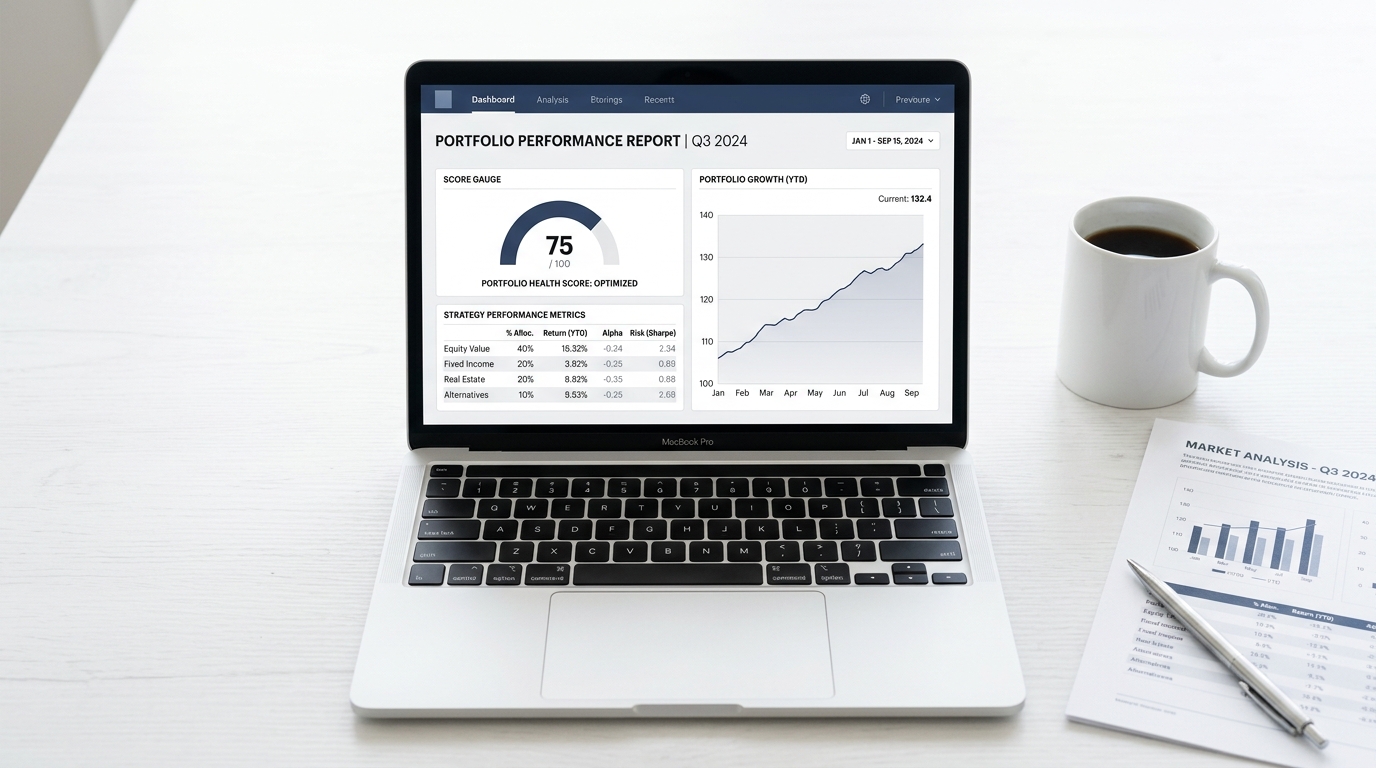
When we launched the original OptionsMastery portfolio import, our goal was straightforward: give options traders a smarter way to see their book. Upload a Fidelity CSV. See your positions. Get an AI narrative.
It worked. But traders wanted more.
Over the past several weeks we shipped a major wave of improvements across every layer of the platform — from how we parse your brokerage statements to how we calculate your portfolio score to a brand-new Trade History Analyzer. Here's a detailed breakdown of everything that changed and why.
1. The Portfolio Health Score is Now Fully Dynamic
Previously, the score shown in the "Overall Score" banner could sometimes appear static — the same number showing up across wildly different portfolios. This was a bug in how the score was injected into the AI prompt. We've completely rebuilt the scoring engine.
How the Score Works Now
The score is computed by a deterministic Python function (calculate_stable_score) that evaluates your actual saved positions across five quantitative dimensions:
| Dimension | Max Points | What We Measure |
|---|---|---|
| Diversification | 25 | # of unique tickers, max concentration %, sector overlap |
| Risk Management | 25 | Index put hedges, cash buffer %, naked option penalties |
| Income & Yield | 20 | Covered calls, CSPs, money market utilization |
| Market Positioning | 15 | ETF presence, premium-selling posture |
| Options Efficiency | 15 | DTE quality, multi-leg structures, inversion penalties |
The computed score is then injected directly into the AI prompt with a hard constraint:
"You MUST assign EXACTLY the score [deterministic_score]/100. Do not deviate from this score."
This means the AI writes the justification around your actual score — not a made-up one. For a tech-heavy, low-hedge, stock-only portfolio you might score a 45. For a well-diversified multi-account book with covered calls and index puts, you'd score in the 75–85 range.
In testing, Portfolio 3 (Sumeet's full 73-position book across Fidelity and Merrill) scored 75/100. A small 11-position LEAPS portfolio scored 59/100. Neither was 66.
2. Smarter Multi-Brokerage CSV + PDF Parsing
One of the most common pain points was broken uploads — especially from Merrill Lynch and Fidelity accounts that use non-standard column headers.
What We Fixed
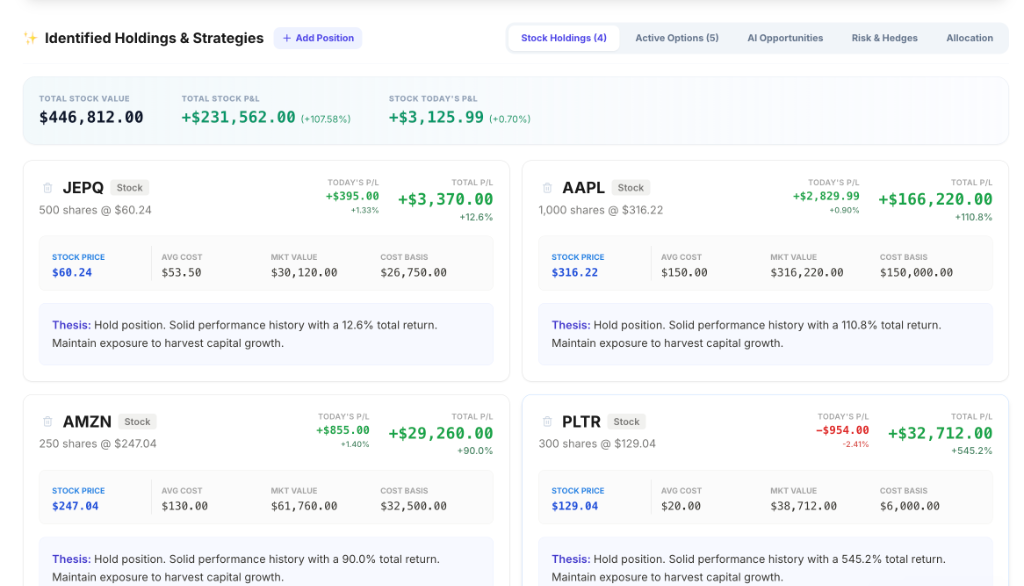
Cash sweep deduplication. If your statement includes both a specific money market fund (SPAXX, FDRXX, FCASH, ML Direct Deposit) and a generic "Cash Sweep" line, we now automatically exclude the generic line to prevent double-counting. Previously, a portfolio might show $30K in cash when you only had $15K.
Cost basis recovery. Many brokers (especially Merrill Lynch) don't export a cost basis column. Instead, they show Market Value and Unrealized Gain/Loss. We now compute:
Cost Basis = Market Value - Unrealized G/L
This gives us accurate average cost without requiring the broker to include it explicitly.
Option quantity normalization. If a broker exports option quantities in "share equivalents" (e.g., 1000 shares representing 10 contracts), we detect the pattern and convert them to contract count before any downstream pricing.
Broader column header matching. We added support for Fidelity's "Average Cost Basis" and "Cost Basis Total" columns, plus Merrill's "Current Value" and "Today's Gain/Loss" naming conventions, so uploads now succeed on the first try in far more cases.
3. The Trade History Analyzer — A New Tool for Serious Traders
The most exciting addition in this release is the Trade History Analyzer — a dedicated page for uploading your completed transaction statement (not your current positions) and getting a professional-grade performance scorecard.
What It Does
Upload your brokerage transaction history (PDF or CSV). Our AI reads every completed options trade, groups multi-leg spreads by ticker and expiration, nets their P&L, and returns:
- Strategy Scorecard — Win rate, net P&L, profit factor, and expectancy per strategy type (Covered Calls, Bull Put Spreads, Cash-Secured Puts, LEAPs, etc.)
- Grade system — Each strategy earns a letter grade (A+ through D) based on consistency and P&L
- Trade log — A filterable table of every individual trade with entry/exit dates and P&L
- AI Narrative — A 130-word professional assessment written by Gemini, citing your actual numbers
The Spread Grouping Logic
A critical design decision was how to handle multi-leg spreads in raw transaction statements. A Bull Put Spread shows up as two separate rows in most brokerage exports — one buy leg and one sell leg with separate P&Ls.
Without grouping, the raw losses on the short leg would appear as massive standalone losses under "Other." With grouping, we detect matching tickers + expirations and net them into a single trade entry:
Example from a real upload:
- PUT GS 845.00 (Buy 20 contracts, -$14,713.46) + PUT GS 865.00 (Sell 20 contracts, +$20,346.12) → Bull Put Spread, Net +$5,632.66
The File Upload Fix
We also fixed a critical bug where uploading a single PDF file to the Trade Analyzer would return a cryptic [Object Object] error. The root cause: FastAPI's List[UploadFile] validator was returning a 422 with a structured array in the detail field, and the frontend was calling throw new Error(detail_array) — which JavaScript renders as [object Object].
The fix involved two changes:
- Backend: Replaced the List[UploadFile] FastAPI parameter with Request + manual request.form().getlist() parsing, so single files and multi-file uploads both work without any 422 validation errors.
- Frontend: Added defensive error serialization — if detail is an object or array, JSON.stringify() it into a readable string before showing the error toast.
4. AI Strategy Explainers: Smarter Analysis with Active Strategy Awareness
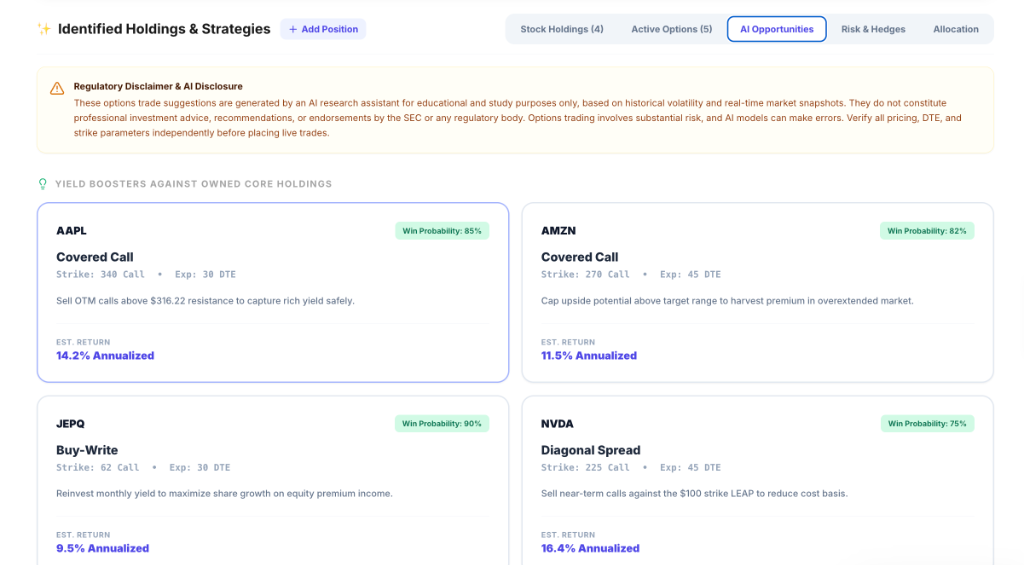
The AI strategy explainers now explicitly checks your active options positions before making analysis.
The Problem We Solved
Previously, if you already had a Covered Call on AAPL, the AI might still suggest "Write Covered Calls on AAPL" in the Position Analysis section — a completely redundant and potentially confusing suggestion.
Now, the prompt includes a curated list of your active strategies:
ACTIVE OPTIONS STRATEGIES IN PORTFOLIO
- AAPL Covered Call
- SPY Bull Put Spread
- GOOGL LEAPS (Poor Man's Covered Call)
And a hard constraint in the system prompt:
"Do NOT suggest any options strategy if the user already has that active strategy listed above. For example, if they already have a Covered Call on AAPL, you MUST NOT suggest 'Write Covered Calls' for AAPL."
This prevents redundant suggestions and makes the per-position analysis actually useful rather than generic.
5. Long Options Strategy Suggestions
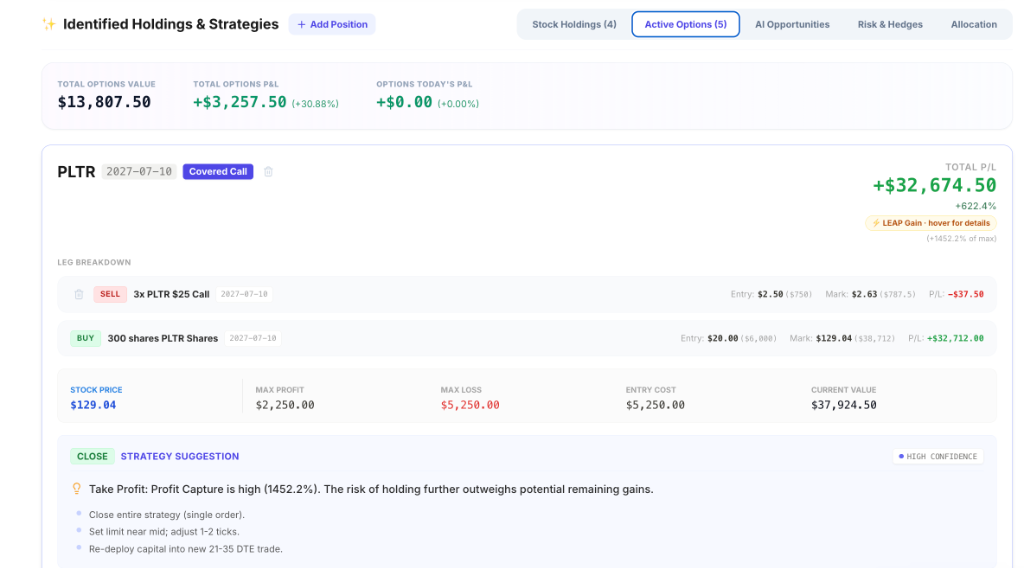
Another gap we closed: the strategy grouper now correctly identifies speculative long options (long calls or long puts where only one side exists) and suggests position management actions, not premium-selling strategies.
Before this fix, a LEAPS position would sometimes be labeled as a "Naked Long Call" with a sell suggestion. Now it's correctly labeled as a Long Call or Long LEAP, and the suggested actions reflect proper LEAPS management: rolling to the next expiration, adding a short call to convert to a PMCC, or taking partial profits on strong moves.
What's Next
The core infrastructure is now solid. Here's what we're building toward next:
- Real-Time P&L Streaming — Live unrealized P&L for every position using bid/ask midpoints from the Yahoo Finance options chain
- Expiration Alerts — Push notifications when an options contract is within 7 days of expiration
- Portfolio Comparison Mode — Compare your portfolio score and strategy allocation against similar accounts (anonymous benchmarking)
- Broker OAuth Connections — Direct read-only API connections to Fidelity, Schwab, and Interactive Brokers for auto-refresh without manual uploads
To try the new Trade History Analyzer, visit OptionsMastery.ai/portfolio/trade-analyzer. To upload your full portfolio and see your dynamic health score, visit OptionsMastery.ai/portfolio/import.
Ready to put this into practice?
Join OptionsMastery.ai today and let Athena instantly find the optimal strategies for your portfolio.
Start Free Trial